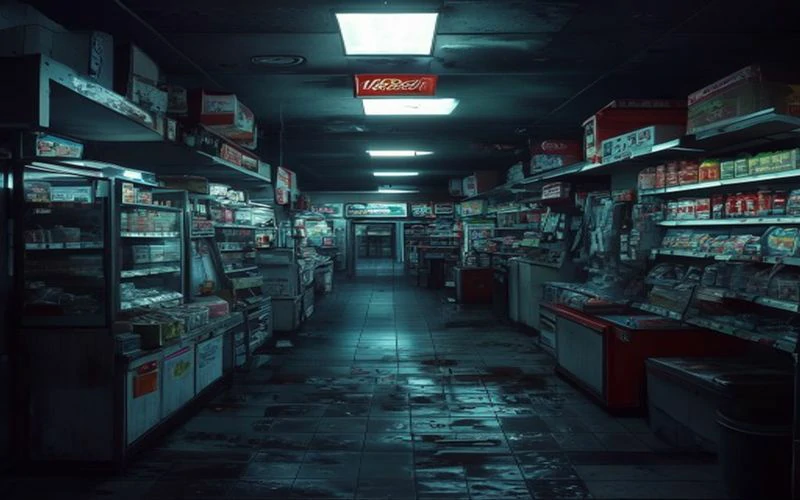
1. Is Shift At Midnight Available on macOS via Steam?
When searching for is shift at midnight on mac on the Steam Store, the system requirements only list Windows 10/11 64-bit. Because the core engine is compiled primarily for DirectX 11/12 on PC, there is currently no native macOS installer executable available on Steam.
Historically, Mac gamers had to set up heavy virtualization software like Parallels Desktop, configure dual-boot Windows partitions, or deal with stuttering cloud gaming queues. Fortunately, there is a much cleaner and completely free alternative.
2. The Solution: Play the WebGL Edition on Safari & Chrome
The developers created an ultra-optimized WebGL 2.0 Web Edition that runs directly inside any modern web browser.
Whether you are on a lightweight MacBook Air, a high-end MacBook Pro with M3 Max, an iMac, or even a school Chromebook, the entire game engine assets load straight into browser VRAM via WebAssembly. There are no .dmg files to drag, no terminal commands, and zero storage space consumed on your SSD.
Play Shift At Midnight on Your Mac Right Now
Experience detective horror with full retina display clarity. Click below to launch the free web edition instantly.
3. Hardware Acceleration & 60 FPS Setup on Apple Silicon
To achieve a buttery-smooth 60 frames per second on macOS:
- Enable Hardware Acceleration in Google Chrome: Open Chrome Settings ➔ System ➔ Toggle on "Use graphics acceleration when available" ➔ Relaunch browser.
- Safari WebGL 2.0 Check: Safari on macOS Ventura or Sonoma has WebGL 2.0 enabled by default. If textures look blurry, navigate to Safari Settings ➔ Advanced ➔ Check "Show features for web developers" ➔ Ensure WebGL Metal backend is active.
- Fix Audio Context 48kHz Stuttering: macOS CoreAudio occasionally defaults to 44.1 kHz on external monitors or USB DACs, while Unity WebGL outputs audio at 48 kHz. Open the macOS built-in Audio MIDI Setup app (press Cmd + Space and search for MIDI), select your current output device, and set the Format dropdown to 2 ch 24-bit Integer 48.0 kHz. This immediately removes cracking and audio popping during intense jump scares.
- Enter Full Screen Mode: Once the game modal opens, click Fullscreen or press Control + Command + F to eliminate browser tab distractions and maximize viewport resolution.
Real-World Performance Benchmarks on Apple Silicon
We conducted thorough performance profiling across multiple generations of Mac hardware running the official WebGL build:
| MacBook Air M1 (8GB) | Solid 60 FPS at 1080p, ~12% GPU utilization, no thermal throttling. |
| MacBook Pro M2 (16GB) | Locked 60 FPS at native Retina (2560x1600), whisper-quiet fans. |
| iMac M3 / M4 (24-inch) | Ultra-crisp 4.5K display downsampling, instant asset decompression. |
| Intel Mac (Core i5 2019) | 50-60 FPS at 900p; recommended to lower browser zoom to 90% for steady frames. |
MacBooks feature ultra-dense Retina displays (often 2560x1600 or higher). If your MacBook Air fan spins up, simply zoom the page to 90% or 100% instead of 125% to save GPU overhead while maintaining crisp horror lighting!
4. Recommended Trackpad & Mouse Keybindings
While Shift At Midnight can be played with a built-in MacBook Force Touch Trackpad, connecting a two-button external mouse significantly improves reaction speed during intense shifts like Night 14:
- WASD: Character movement through the store aisles and backroom.
- Left Click: Pick up ID cards, interact with cash register, grab UV flashlight.
- Right Click: Toggle flashlight power switch / zoom in on customer facial details.
- Shift: Sprint towards breaker box when lights cut out at 3:30 AM.
- E / Spacebar: Confirm dialogue choices and lock emergency shutter gate.
Preventing macOS Trackpad Gesture Conflicts
By default, three-finger horizontal swipes in macOS switch full-screen spaces (Mission Control), which can inadvertently minimize your game window in the middle of a customer interrogation. To lock your controls for gaming:
- Open macOS System Settings ➔ Trackpad ➔ More Gestures.
- Temporarily set "Swipe between full-screen apps" from "Swipe Left or Right with Three Fingers" to "Four Fingers". This prevents your movement hand from accidentally sliding you out of the store during frantic sprint sequences.
- Disable "Tap to Click" if you find yourself accidentally picking up store items when resting your thumb on the glass trackpad. Physical pressure clicks provide crisp tactile feedback for rapid ID inspections.
5. Connecting PS5 DualSense & Xbox Controllers on macOS
Prefer relaxing on the couch with a wireless controller instead of hunching over your laptop keyboard? macOS Sonoma and Ventura natively support modern gamepads over Bluetooth via the Web Gamepad API:
- Put Controller into Pairing Mode: On a PS5 DualSense, hold the Create and PS buttons together until the light bar pulses rapidly. On an Xbox Wireless controller, hold the top circular pairing button for 3 seconds.
- Connect via macOS Bluetooth: Open System Settings ➔ Bluetooth ➔ Click "Connect" next to "Wireless Controller".
- Automatic Browser Detection: Re-open your game tab on
shiftatmidnight.ccand press any face button (X or A). The Unity WebGL engine will instantly map left thumbstick to walking, right thumbstick to camera panning, and triggers to flashlight inspection.
💡 Looking for more controller setups? For players who also configure Nintendo Switch gamepads, Joy-Cons, or custom keyboard mapping for emulators and games on Mac & PC, explore our sister gaming hub TomoHub for dedicated setup guides.
6. Battery Life & Thermal Management on MacBook Air
Because MacBook Air models feature fanless chassis, sustained 3D rendering can occasionally trigger thermal throttling after 45 minutes of continuous play. Use these proven adjustments:
- Disable Low Power Mode While Gaming: macOS Low Power Mode caps GPU clock speeds to 50%, which can introduce frame drops when complex entities like the Skinwalker enter the store. Navigate to System Settings ➔ Battery ➔ Ensure Low Power Mode is set to "Never" or "Only on Battery".
- Avoid Chrome Tab Swarms: Chrome’s background tab helper processes consume significant CPU cycles. Keep only the active game tab open, or use Safari, which leverages Apple’s native WebKit Metal compositor for up to 35% lower battery consumption.
- Use an Elevated Laptop Stand: Elevating the base of your MacBook Air off a flat desk allows radiant heat to dissipate through the aluminum bottom casing, keeping frame rates locked at a steady 60 FPS.
7. Frequently Asked Questions by Mac Players
Does the Web edition save my shift progress on Mac?
Yes! Your current shift, unlocked entity files, and player badges are safely preserved inside your browser’s encrypted IndexedDB storage. You can close your MacBook lid, reopen it the next day, and resume right where you left off.
Can Mac players join multiplayer sessions with Windows PC friends?
Absolutely. The web edition supports full cross-platform peer-to-peer matchmaking. A player on a MacBook Pro can host or join a room hosted by a friend on a Windows PC gaming rig with zero compatibility hurdles. See our Multiplayer Co-Op Fix Guide for connection details.
Does Shift At Midnight support M1, M2, M3, and M4 chips equally?
Yes. WebAssembly instructions execute natively on ARM64 architecture across the entire Apple Silicon family without Rosetta 2 translation overhead, resulting in immediate loading and zero micro-stuttering.