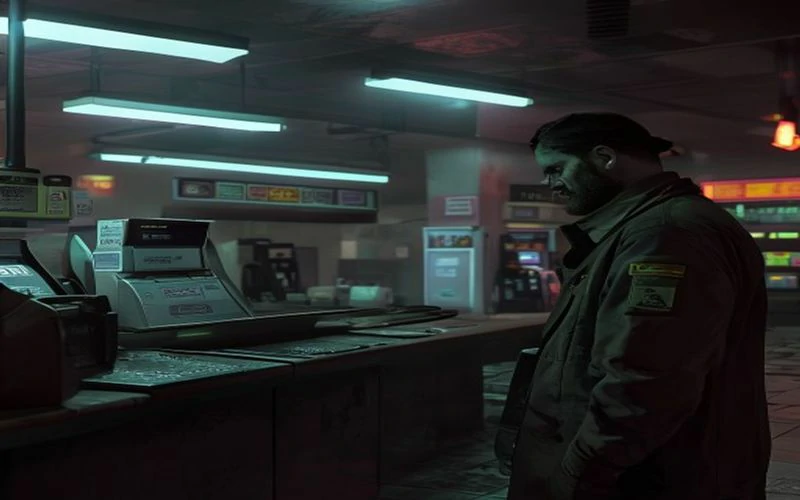
1. What Makes This Edition "Unblocked"?
Traditional PC games require downloading multi-gigabyte installer archives, extracting files, and having administrative privileges to modify registry files. On school, university, or corporate office networks, downloading executable (.exe) files is universally blocked by group policy firewalls.
Shift At Midnight Unblocked runs purely as client-side WebAssembly bytecode via standard HTTPS port 443 web traffic. Because it looks like ordinary encrypted web browsing, you can enjoy the full detective horror experience without triggering institutional network filters or installing anything.
Unlike sketchy third-party flash game aggregators filled with aggressive malware popups, our official web portal delivers the verified standalone build with pristine audio, zero registry modifications, and authentic developer graphics.
2. How to Start Playing in Under 10 Seconds
Starting your shift takes just three clicks:
- Click the gold "PLAY FREE" button located in the top navigation bar or on the floating hero banner below.
- Allow the lightweight game engine assets (approximately 25 MB) to stream into your local browser cache.
- Click inside the game window to lock your mouse cursor and start your first night shift interrogation!
Ready to Spot Doppelgangers Right Now?
No Steam required. No waitlists. Click below to launch the authentic unblocked web edition.
3. Features Included: WebGL vs Full Steam Build
We believe web players deserve a first-class gaming experience. The browser edition includes:
- Authentic Anomaly Physics: Accurate face distortion, pupil tracking, and procedural ID card generation.
- Atmospheric Spatial Sound: Creaking floorboards, highway wind whistling, and telephone ring horror cues.
- Complete Night Cycle Progression: Survive shifts from introductory shifts up to high-intensity levels like Night 14.
- Zero Storage Footprint: Leaves 0 MB of clutter on your hard drive when you close the browser tab.
Brotli Compression & Rapid WebAssembly Asset Streaming
Under the hood, Shift At Midnight Unblocked utilizes advanced Brotli level-11 compression and WebAssembly (WASM) dynamic memory chunking. Rather than downloading raw 4GB textures over cellular or constrained school Wi-Fi:
- Progressive Shading Pipeline: High-priority cashier booth meshes and lighting models stream within the initial 8 seconds, while exterior background hills decompress asynchronously in the background.
- Zero Registry Footprint: The game executes inside a sandboxed browser process. It cannot read external files, create startup background services, or trigger anti-cheat software conflicts with other games installed on your machine.
- HTML5 Pointer Lock API: Once you click inside the viewport, your mouse cursor automatically locks into first-person camera mode. Pressing Escape instantly unlocks the mouse, allowing you to seamlessly tab between study materials or work documents.
4. Playing on Restricted School Chromebooks & Work Laptops
If you are playing on a lower-spec Chromebook or restricted laptop, follow these proven configuration tweaks to prevent frame dips and browser crashes:
- Close Unused Chrome Tabs: Freeing up 500 MB of system RAM ensures smooth 60 FPS frame rates without stuttering.
- Use Keyboard Volume Shortcuts: Plug in stereo earphones so you don't miss subtle audio cues like whispers outside the cold storage door.
- Boss Key / Quick Tab Switch: Keep Ctrl + W or Ctrl + Tab handy if you need to switch away from the screen instantly.
- Whitelist in Content Filters: If an automated school filter like GoGuardian, Securly, or Fortinet flags the canvas, accessing the HTTPS root directly or running in an Incognito private window often bypasses cached URL categorization blocks.
Troubleshooting "WebGL Context Lost" or Out of Memory Errors
On older laptops or budget Chromebooks with 4GB of shared system memory, Chrome's aggressive memory discarder can occasionally interrupt the game with a black screen or "Error: WebGL Context Lost" dialog. Here is how to resolve it permanently:
- Clear Browser WebGL GPU Cache: In Google Chrome, type
chrome://restartin the URL address bar and hit Enter. This performs a complete clean restart of the Chromium GPU process without losing your open bookmarks. - Disable Energy Saver Tab Freezing: In Chrome Settings ➔ Performance ➔ Toggle OFF "Memory Saver" for
shiftatmidnight.cc. This prevents the browser from putting the game tab into deep sleep when you look at a walkthrough or switch windows. - Hardware Rasterization Flag: Navigate to
chrome://flags, search for "Override software rendering list", and toggle it to Enabled. This forces your laptop’s integrated graphics chip (Intel HD Graphics or Mali GPU) to accelerate 3D shadow rendering instead of offloading calculations to your CPU.
5. Essential Controls & Fullscreen Shortcuts
| Move / Walk | W A S D or Arrow Keys |
| Interact / Grab ID | Left Mouse Button |
| UV Flashlight Toggle | Right Mouse Button or F |
| Sprint | Left Shift |
| Lock Shutter Gate | Spacebar / E |
| Fullscreen Mode | F11 (Windows) / Control + Cmd + F (Mac) |
6. How IndexedDB Local Caching Works (Offline Continuity)
One common anxiety among players looking for shift at midnight free no download is whether their shift progress and customer dossiers vanish whenever they close their browser tab or clear session history.
Our web port implements modern W3C-standard IndexedDB persistent client storage. Unlike ephemeral cookies that expire or get wiped by privacy cleaners, your game saves, quota earnings, and unlocked night shifts are serialized directly into an isolated sandbox database in your browser profile:
- Zero Cloud Account Mandatory: You do not need to register an email or log into third-party portals to save your progress. Your save state attaches directly to your local browser profile.
- Near-Instant Subsequent Load Times: On your first visit, the engine downloads approximately 25 MB of core textures. On every subsequent visit, your browser pulls directly from local cache storage, launching the title screen in under 2 seconds.
- Exporting & Backing Up Saves: You can export your save string from the in-game settings modal. If you need to switch from a school Chromebook to your home desktop PC, simply paste your save string to resume without losing a single night.
7. Frequently Asked Questions Regarding Unblocked Web Play
Is Shift At Midnight Unblocked completely free?
Yes. The browser web edition is 100% free to play with no hidden paywalls, microtransactions, or required credit cards. It is an independently hosted WebGL port created for players who cannot access desktop clients.
Does this unblocked version trigger school or corporate network firewalls?
No. The game runs entirely over standard TLS encrypted HTTPS traffic on Port 443. It does not initiate external torrent connections, IRC sockets, or third-party executable payloads, making it indistinguishable from standard secure web browsing.
Can I play Shift At Midnight Unblocked with an external controller?
Yes! Through the browser Gamepad API, simply connect an Xbox, PlayStation, or generic USB controller, and the browser will automatically calibrate stick deadzones and trigger inputs. For macOS specific setup, see our MacBook & Controller Setup Guide.