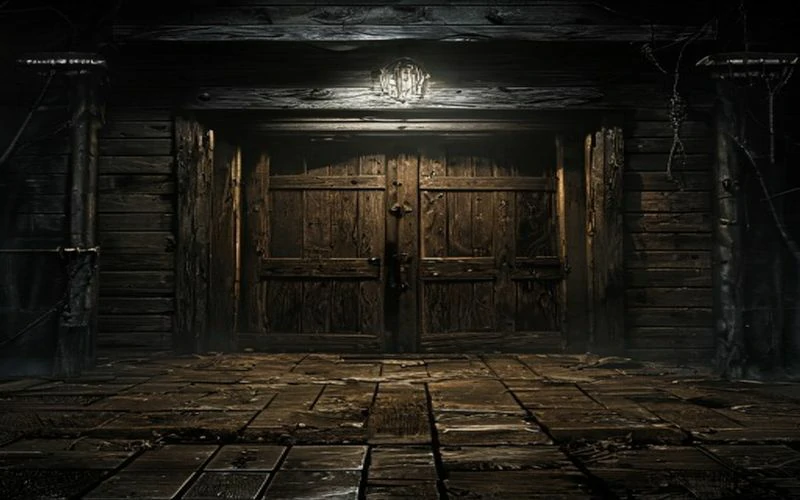
1. Why Night 14 Causes 90% of Player Wipes
In earlier shifts like Night 1 through Night 5, entities act independently. However, once you clock into Shift At Midnight Night 14, the game’s dynamic AI director introduces synchronized anomaly assaults.
While you are interrogating an entity disguised as a delivery driver at the front counter, a distorted stalker will intentionally trigger motion sensors in the rear storage bay, and an electrical surge will disable your security monitor feed. Knowing how to prioritize threats is the single difference between surviving or restarting the shift.
On Night 14, mimics can forge UV stamps! Never rely solely on the ultraviolet glow test. You must cross-reference ID card expiration dates, issue county codes, and facial symmetry.
2. Pre-Shift Checklist: Batteries, Planks & Generator Calibration
Before the clock hits 12:00 AM, you have 60 seconds of setup grace period. Do not waste a single second wandering aimlessly:
- Stockpile 4 Wooden Planks: Place 2 planks directly beneath the front display window and 2 beside the rear employee exit.
- Charge Flashlight Capacitors: Keep an extra pair of alkaline batteries on the service counter edge.
- CCTV Camera Angle Presets: Pre-align Monitor 1 on the Gas Pump Lane and Monitor 3 on the Back Alley Doorway.
Ready to Test Your Nerves on Night 14?
Play the unblocked WebGL version directly in your browser. Zero downloads, instant loading, and authentic horror atmosphere.
3. High-Tier Customer Verification: The 4-Second Test
On Night 14, customers arrive every 25-35 seconds. If you spend more than 8 seconds scrutinizing an ID, the queue backs up, triggering panic penalties. Execute this 4-step rapid protocol:
- Eye Contact (1s): Scan pupil dilation under natural light. Mimic pupils remain dilated even when shining direct halogen light.
- Date of Birth Math (1s): Check if the age matches the photo appearance. Night 14 entities frequently carry IDs stating birth years in the 1800s or future 2030s.
- Vocal Pitch Check (1s): When greeting, listen for unnatural audio reverberation or stuttering vocal loops.
- Immediate Action (1s): If any single anomaly is spotted, hit the counter shutter lock immediately and refuse service.
4. Surviving the Mandatory 3:30 AM Blackout
Every playthrough of Night 14 triggers a planned substation overload between 3:20 AM and 3:45 AM. The entire facility will plunge into pitch-black darkness.
Do not run outside immediately. When the breaker trips:
- Wait 5 seconds behind the counter with your UV flashlight switched OFF to preserve night-vision adaptation.
- Listen for metal footsteps on the gravel path.
- Crouch-walk through the cold-room corridor to reach the auxiliary diesel generator.
- Perform the manual crank mini-game: pull the starter cord when the needle rests within the green compression zone.
5. The Final 10 Minutes (5:50 AM - 6:00 AM) Lockdown
At 5:50 AM, alarms will begin echoing across the valley. The remaining customer queue dissolves into a full-scale physical breach attempt.
Retreat behind the register partition. Nail down your remaining reinforcement planks across the primary security grate. Hold your breath when shadows pass the fogged exterior glass. Once the digital grandfather clock rings 6:00 AM, the sunlight burns away remaining entities and your shift evaluation will display GRADE: S (SURVIVED).
6. Database Terminal Commands & Investigation Shortcuts
Many players struggle on Night 14 because they type too slowly on the in-game terminal computer. When inspecting suspicious customers, the desktop terminal in the cashier booth is your most vital validation tool. Here is the exact operational protocol:
- Hotkeys: Press Tab to quickly snap your camera view to the terminal monitor, and press Escape or Tab again to return to customer eye contact. Do not move your mouse across the desk manually; using the camera snap saves up to 1.8 seconds per verification.
- Query Command Syntax: In the command prompt, type
query <Lastname>. You do not need to type the full first name. If the customer presents an ID with "Jonathan Vance", simply typequery Vanceand hit Enter. - Cross-Referencing County Issuance: Match the 3-letter county prefix on the physical card (e.g.,
HCK-9821) against the municipal registry. If the terminal returns "Record Found: County - Oakhaven" while the customer's card says "Hickory County", they are a doppelganger attempting identity theft. - Blood Type Discrepancies: Genuine local residents in the 1998 county registry have logged blood types. Doppelganger IDs frequently show blood types as "N/A" or "Type 0" (with a numeral zero instead of the letter O).
7. Audio Cues & Radio Interception Decryption
Sound design in Shift At Midnight is not just ambient horror; it is a primary mechanical warning system. Playing with stereo headphones is strictly mandatory on Night 14:
- The Fluorescent Light Buzz: When a Shadow Stalker approaches within 10 meters of the gas station canopy, the ceiling fluorescent tubes will hum at 120 Hz with subtle flickering. If you hear this pitch rise, lock the main doors immediately before stepping outside.
- Reversed Breathing Patterns: When speaking through the counter microphone, mimics inhale while speaking rather than exhaling. If the customer's dialogue contains a wet sucking sound during vowel pronunciation, decline entry immediately.
- CB Radio Static Bursts: The emergency ham radio sitting on the back shelf will emit short static bursts on Channel 7. When the dispatcher's voice cuts in with "Code Amber on Route 9", it confirms that a Skinwalker entity has just entered the gas pump perimeter.
8. Top 5 Fatal Mistakes That Ruin Night 14 Runs
- Shining UV Light Directly into Normal Customers' Eyes: While mimics react with aggressive hissing or twitching, shining high-intensity UV directly at genuine humans causes them to become agitated, file complaints, and reduce your nightly quota payout. Aim the UV beam strictly at the chest ID badge.
- Hoarding Wooden Planks Until It's Too Late: Boarding up a window requires a 3.5-second hammer animation. If you wait until an anomaly is actively banging on the glass, the impact will interrupt your hammering animation, leading to an instant fatal breach. Board up your primary flank doors by 2:00 AM.
- Leaving the Cash Register Open: After completing a transaction with a genuine customer, always press Spacebar to slam the cash drawer shut. An open register creates an acoustic blind spot that masks the sound of footsteps creeping into the rear employee breakroom.
- Ignoring Breaker Heat Gauge: The diesel generator is not infinite. Running all indoor neon signs, CCTV screens, and air conditioning simultaneously will overheat the circuit breaker by 3:00 AM. Turn off decorative shelf spotlights in the beverage aisle to reduce load.
- Trusting Customers Who Claim They "Forgot Their Wallet": On Night 14, zero exceptions are permitted. Even if a customer appears completely human, has no visible anomalies, and begs for gasoline due to an empty tank, store regulations mandate immediate refusal without a physical government ID. Under the game's director logic, 100% of wallet-less visitors on Night 14 are hostile infiltrators.
9. Quick-Reference Survival Rules
- ✅ Always verify ID expiration date before running terminal queries.
- ✅ Keep auxiliary generator fuel level above 40% before the 3:30 AM blackout.
- ✅ Never open the rear loading dock door if you hear knocks from outside.
- ✅ Use camera snap hotkey Tab to cut customer verification time in half.
- ✅ In multiplayer co-op, assign one dedicated runner to monitor generator gauges.